Skip to content
Swarthmore College - ITS Blog

Swarthmore College – ITS Blog

  • The Dash
  • ITS Homepage
  • ITS Knowledgebase
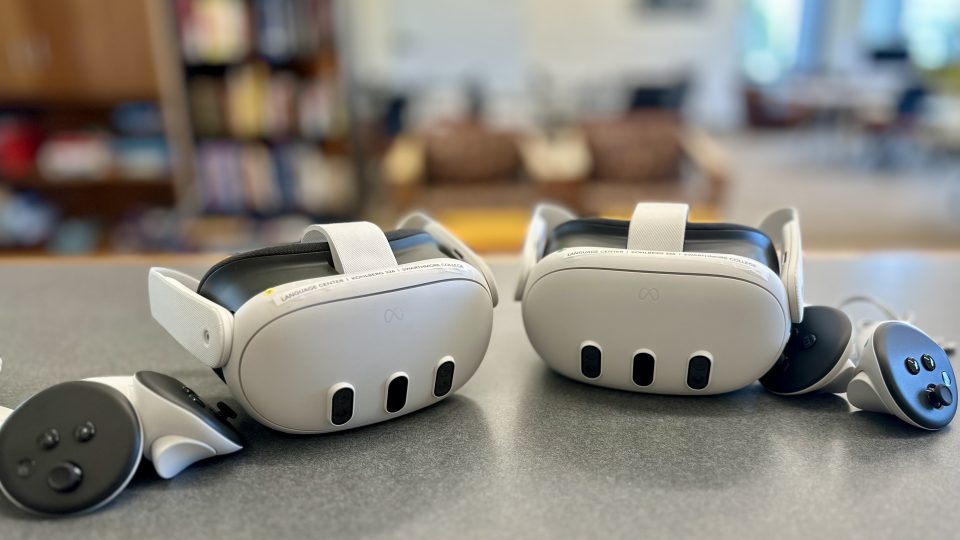
2 Meta Quest 3 headsets and 2 handsets sitting on a table in the Language CenterLink to Extended Reality Resources in the Language Center
Academic Technology, Language Center & Media Commons, Learning Technology, Virtual Reality

Extended Reality Resources in the Language Center

Swarthmore Knowledge Base main menu itemsLink to A New Look for the ITS Knowledge Base
KnowledgeBase, News

A New Look for the ITS Knowledge Base

Fall leaves of many colors from many different treesLink to How to Master Essential Tech and Fall Teaching Resources
Academic Technology, Accessibility, Artificial Intelligence, Banner, Classroom and Conferencing Technologies, Course Planning, Email, Calendaring, & Collaboration Tools, Good Reads and Articles, Learning Spaces, Learning Technology, LinkedIn Learning, Moodle, Tips

How to Master Essential Tech and Fall Teaching Resources

Burgundy background, tech images, and text that reads 'ITS Insider'Link to ITS Insider May 2026 – Seniors Edition
Email, Email, Calendaring, & Collaboration Tools, Faculty/Staff, Google Apps, Help Desk, News, Student Engagement, Students, Workshops and Training

ITS Insider May 2026 – Seniors Edition

GPS Satellites circling the earthLink to Know where things are: Precise GPS location service now available
Academic Technology, GIS, News

Know where things are: Precise GPS location service now available

Link to Computational and Data Resources for Summer Research
High Performance Computing, Research

Computational and Data Resources for Summer Research

Academic Technology, Accessibility
Word icon with motion arrows pointing to Acrobat icon

Creating Accessible PDFs from Word

September 11, 2018September 4, 2020 Corrine Schoeb

Many people like to convert Word documents into PDF files for print consistency and to prevent document modification. Check your software versions Make sure you have the most recent version of Acrobat and Microsoft Office. If you are not sure … Continue reading Creating Accessible PDFs from Word

Academic Technology
Dog with confused expression surrounded by question marks

What version of Acrobat and MS Office do I have?

September 10, 2018September 10, 2018 Corrine Schoeb

Follow the steps below to discover what version you currently have on your machine. If you do not have the most recent versions, we suggest installing Acrobat DC before installing the newest version of Office. For more information on the … Continue reading What version of Acrobat and MS Office do I have?

Academic Technology, Students
Octocat GitHub logo

GitHub Opportunities for Students

September 5, 2018 Andrew Ruether

GitHub, the company that provides web hosting for version control software, offers several services and programs of interest to students. The GitHub Student Developer Pack provides students free access or credits for a variety of online services including GitHub (unlimited private repositories), … Continue reading GitHub Opportunities for Students

Academic Technology, Moodle
Moodle logo

What’s New in Moodle for Fall 2018

August 22, 2018August 27, 2018 Andrew Ruether

ITS upgraded to the latest version of Moodle this summer.  Moodle version 3.5 has new features that make teaching your class easier. Audio Recording Anywhere A new button on the text editor allows faculty and students to record audio anywhere.  … Continue reading What’s New in Moodle for Fall 2018

Academic Technology, iPad Apps, Mobile Devices, Moodle
Moodle and Notability logo

Grading Moodle Assignments with the Notability App

July 31, 2018March 31, 2020 Ashley Turner

Did you know that you can use an app to help you annotate documents for grading? There is an app called Notability that we see faculty often use with their iPad Pros to help them annotate Moodle assignments for grading … Continue reading Grading Moodle Assignments with the Notability App

Email, Calendaring, & Collaboration Tools, Google Apps, Tips
Google Calendar day headings with the Out of Office feature active.

New Features for Google Calendar

July 12, 2018 Jessica Stockett

Out of Office for Calendar Google Calendar has added an “Out of Office” option as a new way to mark time on your calendar. This feature will allow you to block off either full days or select hours within a … Continue reading New Features for Google Calendar

Posts navigation

Older posts
Newer posts

Help Desk

x4357 (HELP)
Call 610-328-8513 (off campus)
support@swarthmore.edu
Beardsley 110

Classroom and Conferencing Technologies

x6201
avbox@swarthmore.edu
Beardsley 115

Academic Technology

acadtech@swarthmore.edu

Swarthmore College, 500 College Avenue, Swarthmore, PA 19081 Phone: Call 610-328-8000

© 2023 Swarthmore College. All Rights Reserved.

  • Twitter
  • Instagram
Proudly powered by WordPress Theme: Gazette by Automattic.