
The ITS Insider is the Help Desk newsletter which includes timely topics and events. This month’s newsletter welcomes back Swarthmore students, faculty, and staff with new and important updates out of ITS including: ITS’s move back to Beardsley, the new way of printing for students, student led Dinner & Learn sessions, and more. We also give a preview of what topics are covered in this Fall’s Lunch and Learn sessions for faculty and staff. Save the dates!
Back in Beardsley
The Beardsley Hall renovations are complete, and ITS has officially settled back into the space! With the renovations finished, the first floor of Beardsley Hall is once again a central hub for technology support and services on campus.
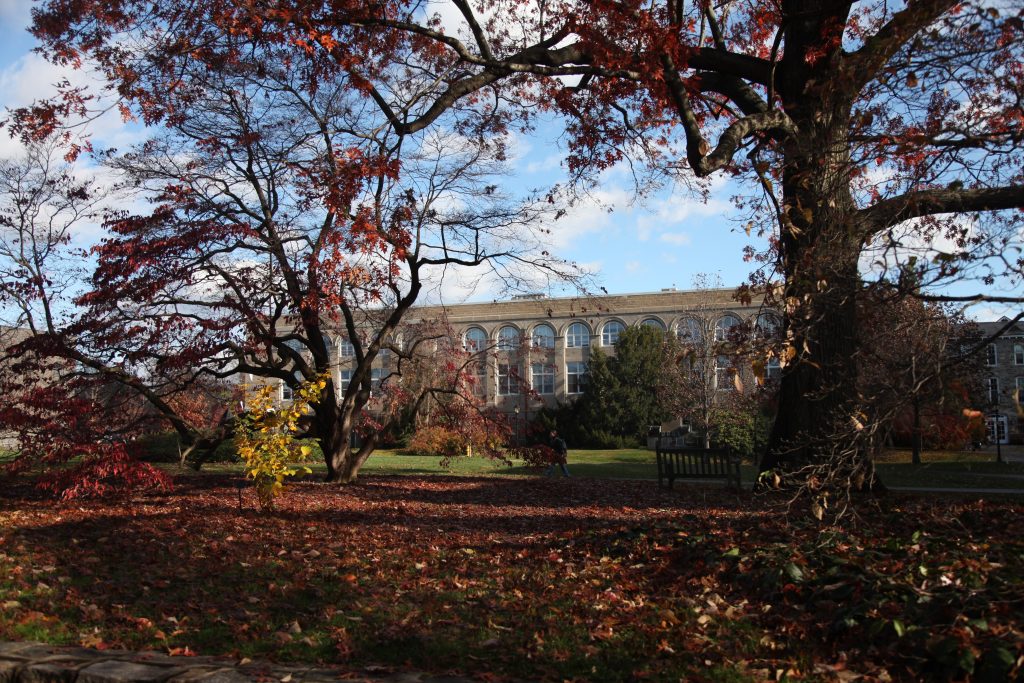
The first floor is now home to several ITS teams, including the Help Desk, Academic Technology, Classroom & Conferencing Technology, and our newly added Networking team. Bringing these teams together in one space makes it easier for our campus community to connect with the people who keep Swarthmore’s technology running smoothly.
So, what can you find in Beardsley Hall? If you need assistance with your Swarthmore account, eduroam or other network connectivity, hardware or software, classroom technology, projection, conferencing technology, and more, our teams are here to help. Whether you’re troubleshooting an issue, looking for technology guidance, or simply aren’t sure where to start, Beardsley Hall is a great place to connect with ITS.
The renovated space also provides ITS with an opportunity to better collaborate across teams and continue improving the support and services we provide to students, faculty, and staff. We’re excited to be back and look forward to welcoming the Swarthmore community into our newly renovated space!
Need technology help? Stop by the Help Desk in Beardsley Hall, we’re here to help!
Introducing Mobility Print for Student Printing
This semester, ITS is introducing Mobility Print, a new software designed to make connecting to and printing from Swarthmore’s network printers easier than ever. No more navigating complicated printer drivers or installation steps—Mobility Print simplifies the process and makes it easier to get connected and start printing.
And, as the name suggests, Mobility Print isn’t just for computers! You can now print from a variety of devices, including iOS and Android mobile devices and Chromebooks.
If you’re a returning student who previously installed Swarthmore printers on your device, you’ll want to remove your existing printers and reinstall them using Mobility Print. This will ensure you’re using the new printing system and have access to the latest printer configuration.
Ready to Get Started?
Before connecting to a Swarthmore network printer, make sure your device is connected to eduroam.
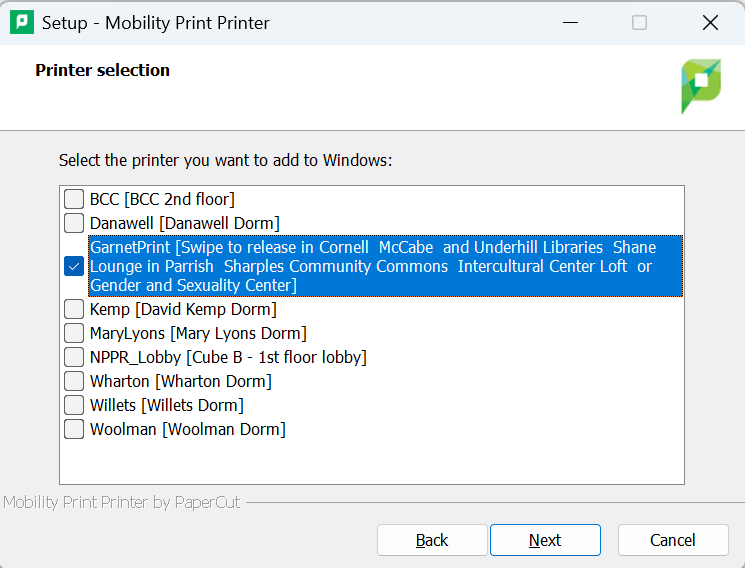
Then, visit http://restech.swarthmore.edu:9163/setup from your computer or mobile device. The site will automatically detect what type of device you’re using and provide the appropriate installation file.
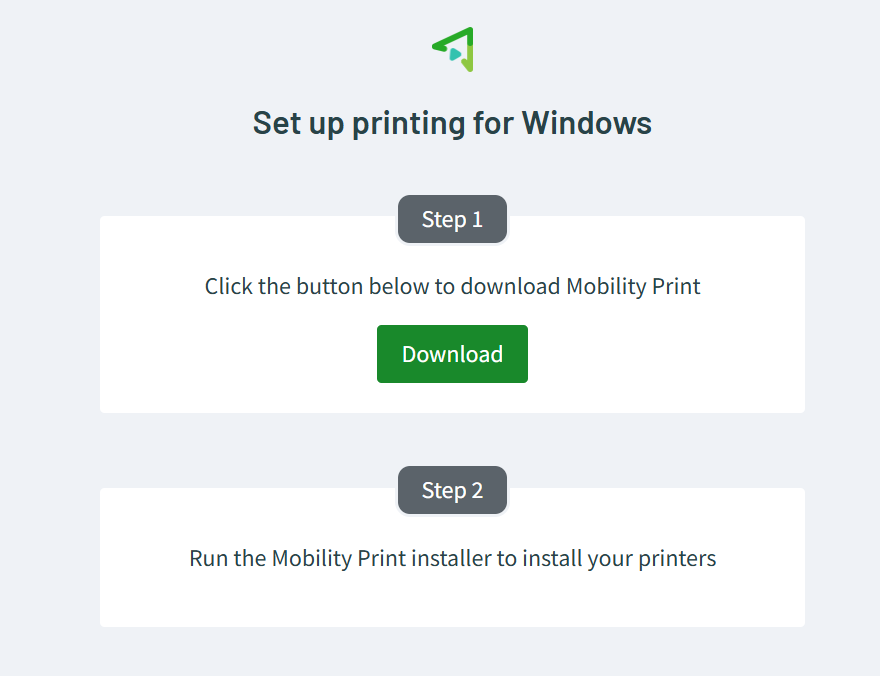
Once Mobility Print is installed, you’ll be prompted to select the printers you’d like to add. We recommend selecting GarnetPrint, as well as the printer located in or closest to your residence hall. You’ll then be prompted to authenticate using your Swarthmore credentials.
Need a little extra help? Check out our guide, Installing Mobility Print on iOS and Android, for step-by-step instructions on setting up Mobility Print on your mobile device.
With Mobility Print, getting connected to campus printers should be a little easier, whether you’re printing from your laptop, phone, tablet, or Chromebook. Happy printing (but like, not too much – SAVE THE TREES)!
McCabe IT Consultant – Your Evening Tech Walk-Up
The support we provide to the Swarthmore community wouldn’t be possible without our IT Support Associates (ITSAs)! ITSAs are Swarthmore students who work with Information Technology Services to help provide technology support to their fellow students, faculty, and staff.
ITSAs are on shift in McCabe Library from 4pm-10pm, Sunday thru Thursday, and 4pm-8pm on Friday.
Whether you’re having trouble connecting to eduroam, need help with your Swarthmore account, have a question about your laptop or software, or simply aren’t sure where to start, stop by and say hello. No appointment is necessary, just bring your question and our ITSAs will do their best to help!
The McCabe IT Consultant also answers the Help Desk line and field any tickets that come in during that time. They are supported by a Fulltime Help Desk staff member via slack, who can assist with lockouts, Duo, and other issues that require fulltime staff.
Grab Dinner and Learn Something New!
Our ITS Student Associates are here to help with all, or at least most, of your technology-related questions. But their role isn’t just about troubleshooting tech problems. Throughout the semester, our Student Associates will also be hosting Dinner & Learn sessions designed to help the Swarthmore community get the most out of the technology and resources available to them.
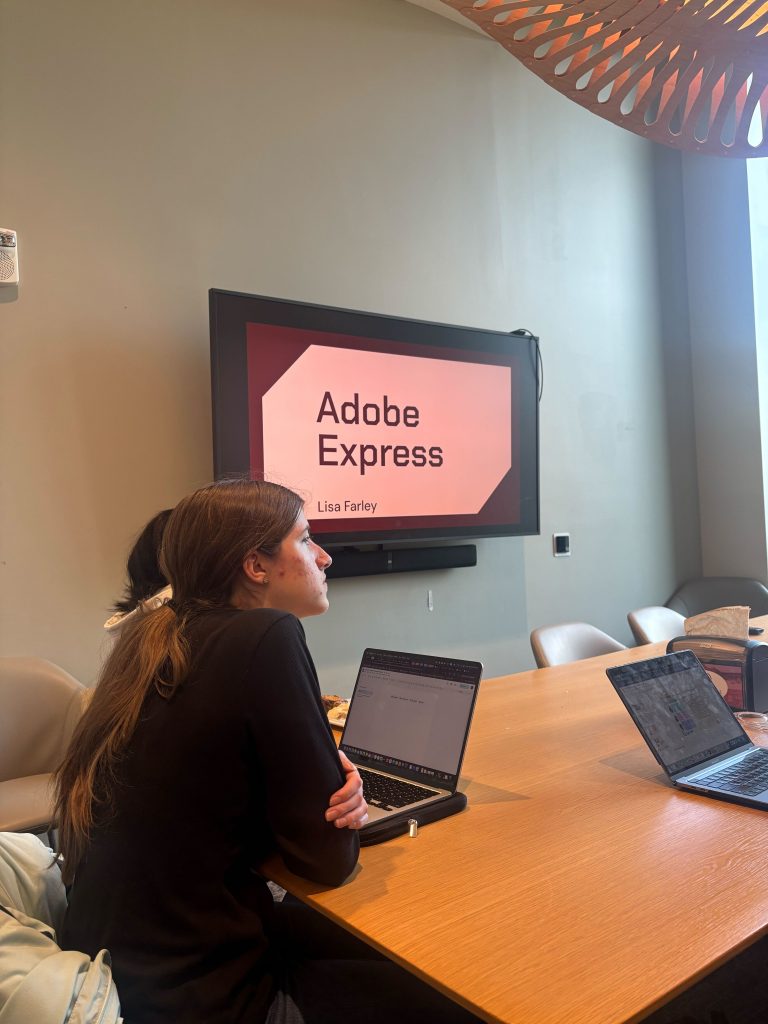
These informal sessions will cover a variety of topics, from new technology and tools available to Swarthmore students to helpful tips and tricks for getting the most out of the technology you use every day. Some sessions may also focus on troubleshooting common technology issues, giving you the knowledge and confidence to tackle those problems on your own.
And the best part? You can grab dinner while you learn! Dinner & Learn sessions are typically held in the DCC during the dinner hours, making it easy to stop by, grab a bite, and pick up a few new tech tips along the way.
We’ll be covering a variety of topics throughout the semester, so there should be something for everyone—whether you’re a technology pro or someone who occasionally wonders why their computer is doing that.
Keep an eye out for the full Dinner & Learn schedule and upcoming topics. We hope you’ll join us, learn something new, and maybe leave with a few technology tricks up your sleeve!
Tech I’m Using – BagTag
Working in IT, we try to stay abreast of the latest and greatest tech. We also just really love gadgets and want to highlight some of the tech being used around the campus community.
For this edition of Tech I’m Using, we’re highlighting a gadget that might be especially useful for anyone who travels: the BAGTAG electronic luggage tag, as used by ITS Student Associate Zeyu.
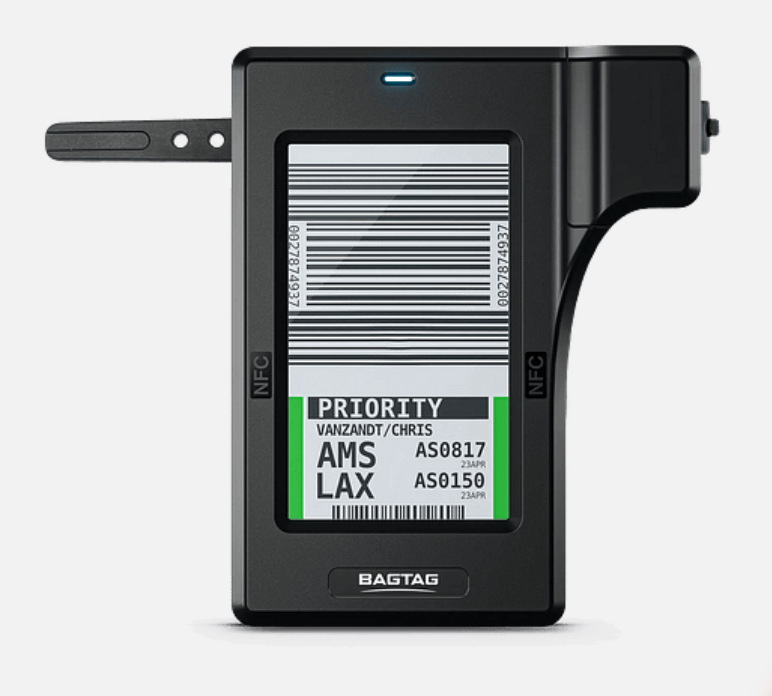
The BAGTAG is an electronic luggage tag that allows you to display your flight and baggage information digitally, meaning you can skip printing a traditional paper luggage tag at the airport when flying with a participating airline. The tag can be updated through the BAGTAG app, and Zeyu especially likes that he can customize the tag with his own photos. He uploaded a picture of his cats to his BAGTAG, making his luggage a little more personal, and much easier to spot at baggage claim!
There is one catch: not every airline currently supports electronic luggage tags. Zeyu notes that this is one of the biggest drawbacks of the technology. There used to be suitcases with built-in BAGTAGs, but those appear to have been discontinued, so the tags are currently purchased separately through BAGTAG.
If you’re a frequent traveler looking for a way to make your luggage stand out while cutting down on those last-minute paper tags at the airport, a BAGTAG might be worth checking out.
Interested in learning more? Visit bagtag.com to learn more about the electronic luggage tag and compatible airlines.
Disclaimer: These spotlights are for informational purposes only. ITS does not endorse or recommend the specific products or services featured. We’re simply sharing what members of our community are using and enjoying.
ITS Lunch & Learn – Sept-Oct 2026 Sessions
Faculty and staff, mark your calendars for the upcoming Lunch & Learn sessions. This Fall we highlight admin functions for Zoom Call Queues managers, Gemini, Google AI Studio, Password Managers and Keeper, CoPilot, and more. this moth we list the sessions for Sept and Oct.
Grab your lunch and join ITS for the following mini training sessions via Zoom. The sessions are open to all Swarthmore faculty and staff, and will start at 12pm on the following dates. Each session will have 20-25 minutes of training followed by Q&A.
To register or learn more about a session, click on the session link(s) that you are interested in attending.
- Sept 11, 2026 – Calling all Call Queue Admins – Zoom Queue Admin 101
- Sept 24, 2026 – AI Dos, Don’ts & Decisions: A Practical Guide
- Oct 9, 2026 – Passwords, Perks, and Peace of Mind: Getting the Most Out of Keeper
- Oct 23, 2026 – Gemini: Work Faster, Think Bigger: Google Gemini in Action
More dates to come. We’ll send out a reminder the day before your scheduled session.
Follow us on Instagram
Be sure to follow us on Instagram to stay abreast of the latest news, events, and timely tech related information. We’ll break up the monotany with humorous reels, trivia, and ITSA account takeovers.