Skip to content
Swarthmore College - ITS Blog

Swarthmore College – ITS Blog

  • The Dash
  • ITS Homepage
  • ITS Knowledgebase

Category: Students

Academic Technology, Accessibility, Students
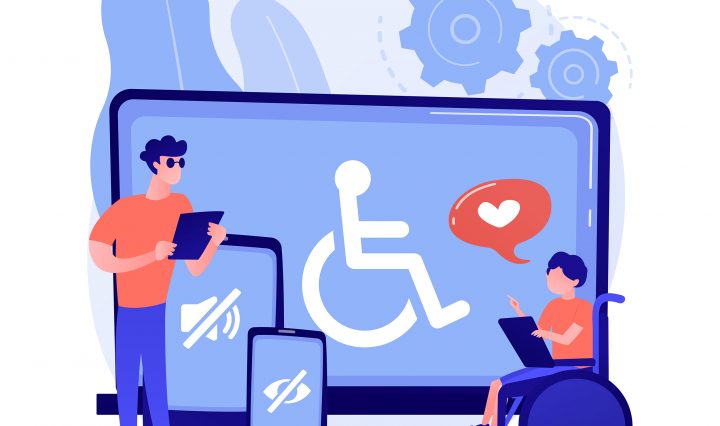
Two individuals in the foreground, working together. The individual to the left is standing and holding a tablet. The individual on the right is in a wheelchair and loving what is showing on their tablet. A laptop screen, enlarged, in the background, displays a stick figure in a wheelchair. This is foregrounded by a tablet screen displaying a megaphone with a line through it, or "no sound;" and a phone screen that displays an eye with a line through it, or "no vision."

How Digital Accessibility Opened New Career Possibilities for Me

October 19, 2023October 13, 2023 Opeyemi Ogundele

Around my junior year of high school, I knew that I wanted to pursue a career in ethical technology and artificial intelligence. Although being a career field that was still in some ways emerging, it was still too broad. Tech … Continue reading How Digital Accessibility Opened New Career Possibilities for Me

Academic Technology, Faculty/Staff, Students, Web Projects

Migrating Your Domain of One’s Own Website

June 29, 2023June 28, 2023 Ashley Turner

There are a few reasons that could lead you to consider exporting your Domain of One’s Own website content from Swarthmore College. Perhaps you’re leaving the College, graduating, or maybe you’re just wanting to use your data on another hosting … Continue reading Migrating Your Domain of One’s Own Website

Academic Technology, Accessibility, Learning Technology, Students
reMarkable 2 tablet with writing demonstrating each of the pen options.

reMarkable 2 Tablet Review & Comparison

June 15, 2023June 1, 2023 Allison Chong

As someone who recently converted to the iPad Air in my senior year of high school after swearing on notebooks for years, hearing about the reMarkable 2 tablet intrigued me. It seemed like the perfect blend of the two–combining the … Continue reading reMarkable 2 Tablet Review & Comparison

Email, Calendaring, & Collaboration Tools, Faculty/Staff, Students, Tips

Keeping your digital content when you leave Swarthmore

May 25, 2023May 25, 2023 Doug Willen

Many students, caught up in the excitement of graduation, and faculty, rushing to complete grading and end-of-year work before they move on to other appointments, forget to take some necessary steps to secure their digital content stored on College servers, … Continue reading Keeping your digital content when you leave Swarthmore

Academic Technology, High Performance Computing, Learning, Learning Technology, Students

Embracing the Pedagogical Value of HPC

May 11, 2023May 10, 2023 Jason Simms

When most people think about applications of high-performance computing (HPC), STEM-based research readily comes to mind. While HPC absolutely excels at that, it is also useful in pedagogical contexts, including: Facilitating analysis of datasets that are too large to work … Continue reading Embracing the Pedagogical Value of HPC

Academic Technology, Accessibility, Faculty/Staff, Students, Tips
An empty, walk-in closet with many free shelves and a wood floor.

Focus effortlessly while browsing the web

February 9, 2023February 9, 2023 Jen Moore

Web pages are cluttered with unnecessary—to the reader—content such as ads, multiple navigation menus, videos that auto play. These all contribute to cognitive load. With nothing to add to your computer at all, you can focus effortlessly while browsing the … Continue reading Focus effortlessly while browsing the web

Posts navigation

Older posts
Newer posts

Help Desk

x4357 (HELP)
Call 610-328-8513 (off campus)
support@swarthmore.edu
Beardsley 110

Classroom and Conferencing Technologies

x6201
avbox@swarthmore.edu
Beardsley 115

Academic Technology

acadtech@swarthmore.edu

Swarthmore College, 500 College Avenue, Swarthmore, PA 19081 Phone: Call 610-328-8000

© 2023 Swarthmore College. All Rights Reserved.

  • Twitter
  • Instagram
Proudly powered by WordPress Theme: Gazette by Automattic.