

This month’s newsletter includes articles on how and when to run updates for Windows and Mac, Microlearning with LinkedIn, using the Holiday Hours feature to add a temp voicemail greeting in Zoom Phone, turning your phone into a webcam, and the spring ITS Lunch & Learn Series.
The ITS Insider is the Help Desk newsletter which includes timely topics and events.
To update or not to update?
That is the question – and the answer is always, Yes!
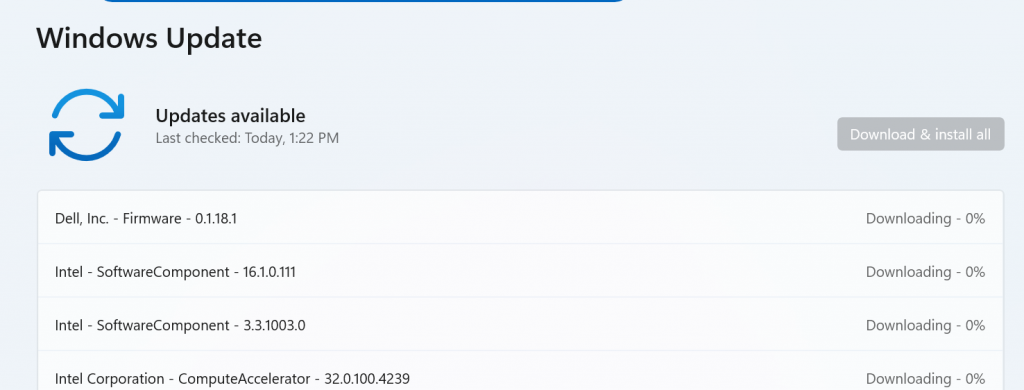
Many common Windows issues can be resolved simply by installing the latest updates. These updates often fix problems like random crashes, system freezes, Wi-Fi or Ethernet connectivity issues, audio problems, and more.
Contrary to popular belief, Windows updates don’t always install automatically and should be run manually at least once a month to keep your device running smoothly and securely. Did you know? Microsoft releases updates on the second Tuesday of every month which has come to be known as Patch Tuesday. If you want to stay on top of your Windows updates try setting a calendar reminder for the second Wednesday of every month.
See our article, Upgrading to Windows 11 through Windows Update for instructions on how to check for and install these updates.
Greenlight, go!
In October Apple released the latest OS version, Tahoe and we advised the campus community to wait one to two months before upgrading their devices to the new OS. Now that that time has elapsed, ITS is giving you the green light to upgrade to macOS Tahoe. However, if you are unable to upgrade at this time not to worry, as we will still be supporting macOS Sequoia through the end of the Spring semester. The minimum operating system your Mac should be running is Sonoma.
When applying macOS changes, it’s important to understand the difference between an update and an upgrade. An update keeps you on the same version of macOS while installing the latest fixes and improvements—for example, moving from macOS Sequoia 15.0.1 to 15.0.2. An upgrade, on the other hand, moves your Mac to a new major version of macOS, such as upgrading from Sequoia to Tahoe. Follow our guide: Updating and Upgrading macOS.
Something to note: If you notice your printers are missing after the upgrade follow our instructions to reinstall: Printing for Faculty & Staff.
Replace doom scrolling with micro-learning by LinkedIn Learning

Around the world the average person spends roughly two and a half hours on social media per day. However, if we take a deeper dive into the numbers we’ll find that teens and young adults spend about 3-6 hours on social media each day. With LinkedIn Learning you can ditch the scroll and opt for a micro-learning course instead.
LinkedIn courses cover an array of topics from the everyday systems we use here at Swarthmore such as Adobe, Google, and Zoom to more fun and creative courses such as learning to draw, starting a YouTube channel or building a website.
LinkedIn Learning is available to all Swarthmore students, faculty, and staff. Visit linkedin.swarthmore.edu and login with your Swarthmore credentials. You may also choose to link your Swarthmore LinkedIn Learning account with your personal LinkedIn account, making it easy to showcase completed courses and certifications on your professional profile.
Kick off your microlearning journey with a curated list of courses from the ITS Help Desk, go to: Microlearning Courses from ITS Help Desk.
Another option is to install the LinkedIn Learning mobile app on your phone or tablet. Download it from your device’s app store and after install, click Sign In and enter your Swarthmore email address. What happens next, depends on whether this is the first time that you are logging in to your Swarthmore LinkedIn account. Follow the prompts to complete log in.
Once logged into the LinkedIn mobile app, go to Topics > Swarthmore College. Then scroll to the Learning Path titled Microlearning Courses from ITS Help Desk.
For more information about linking your personal and college LinkedIn Accounts, go to LinkedIn Learning.
Setting your Zoom Phone holiday schedule
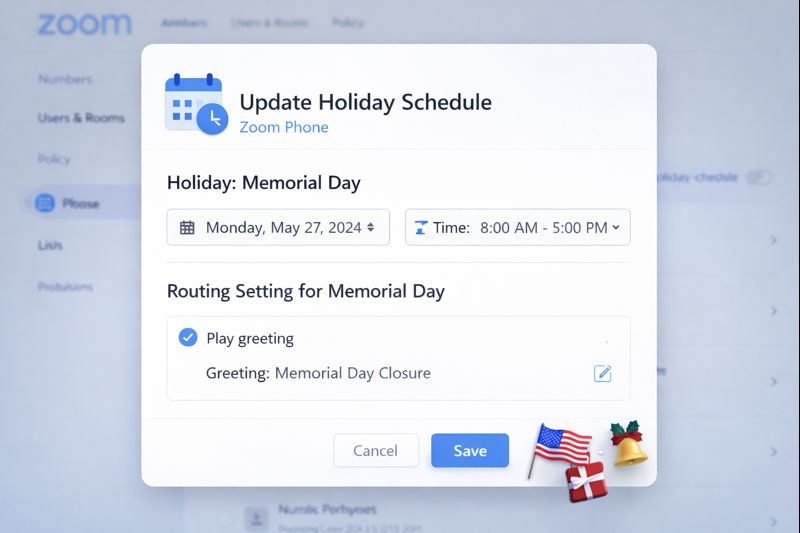
Add a Holiday for temporary events, and keep your default greeting. After it is over, Zoom will automatically switch back to your default greeting. Set the date and time for the message to start and end, and then add audio. The best part is that you can do it ahead of time. No need to wait until the last minute, and one less thing to worry about when rushing to get things done.
You can also add multiple Holidays at a time. If you have a recurring event, edit the Holiday to reuse it. When editing the Holiday, change the title, dates, and voicemail greeting. If using Text to Speech for the greeting, it is super easy to change the greeting.
For more information about setting up temporary voicemail greetings, go to Set Voicemail Greeting for Out of Office Events.
Tech I’m Using – Camo Camera App
Working in IT we try to stay abreast of the latest and greatest tech. We also just really love gadgets and want to highlight some tech that is being used around the campus community.
Damaris in the ITS Help Desk is using the Camo Camera App to turn her smartphone into a high-quality webcam for her computer. It is compatible with major apps such as Zoom, Teams, Google Meet and more. Damaris is using it to allow camera switching in the TikTok Live Studio desktop app which is a feature that is only available on desktop. The app is free to download and use but there is a paid Pro version that grants access to additional features such as higher resolutions, access to all phone lenses, and in-depth image controls. Find the Camo Studio app in your phone’s app store today.
Disclaimer: These spotlights are for informational purposes only. ITS does not endorse or recommend the specific products or services featured. We’re simply sharing what members of our community are using and enjoying.
ITS Lunch & Learn Series for Spring 2026
Grab your lunch and join ITS for the following mini training sessions via Zoom. The sessions are open to all Swarthmore faculty and staff, and will start at 12pm on the following dates. Each session will have 20-25 minutes of training followed by Q&A.
To register or learn more about a session, click on the session link(s) that you are interested in attending.
- Jan 30th – Windows 11: Working with computer screenshots
- Feb 13th – macOS: Working with computer screenshots
- Feb 27th – Intro to Adobe Express: Your go-to for quick, beautiful poster designs
- March 13th – Keyboard shortcuts and other timesaving tips
- March 27th – Troubleshooting tips for slow web pages and other web issues
- April 17th – Tips to improve computer battery life
- May 1st – What’s the difference? Tips for working with Google Shared Drive
We’ll send out a reminder the day before your scheduled session.