Members of the Swarthmore community have shared valuable feedback about ITS’ Microsoft Office 2007 implementation as noted in this blog from our colleague, Cathy.
During a recent overview session, we discussed line spacing options and modifications.
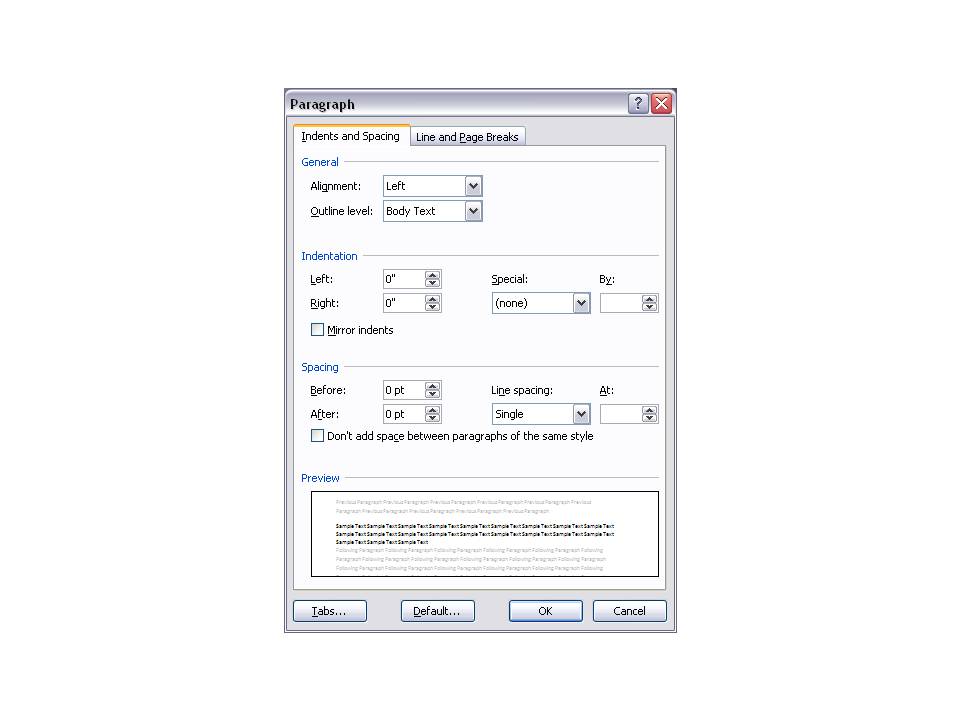
By default, Microsoft Word 2007 applies a line space of 1.5, however, our colleague, Cathy found that we can reduce the space by using the following steps:
- Click the Page layout tab
- Go to the Paragraph Group
- Click the Launcher icon
- Adjust line spacing to “0”
- Click Save as default